
HP EliteBook 830 G9 Review
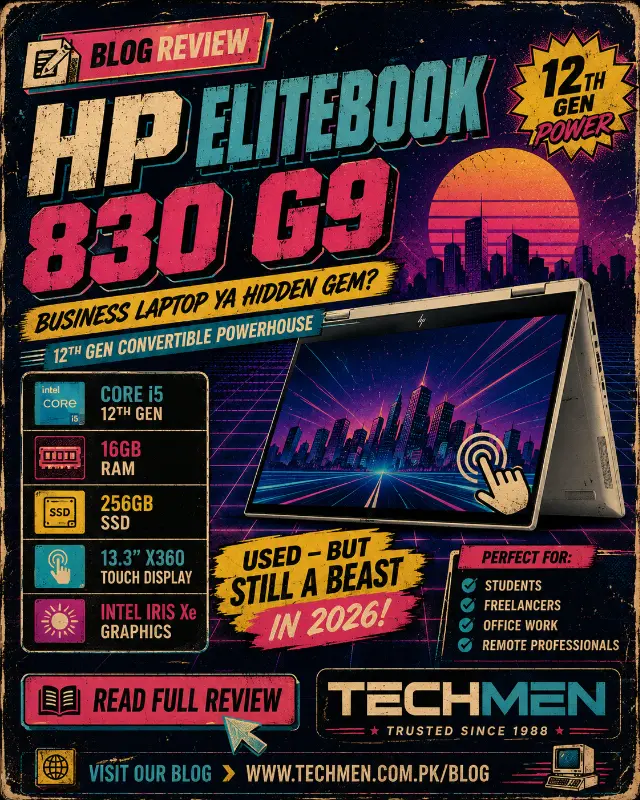
HP EliteBook 830 G9 Review
Core i5 12th Gen | 16GB RAM | 256GB SSD | 13.3" X360 Touch
Most business laptops make you choose. Do you want thin and light? Or do you want a touchscreen? Do you want premium build quality? Or do you want to stay under Rs.100,000? The HP EliteBook 830 G9 X360 refuses to make that trade-off. It is thin, it has a touchscreen, it folds into a tablet, it is built like a premium machine — and at Rs.102,000 used at Techmen, it is genuinely one of the best value laptops we have in stock right now.
This is HP's flagship 13-inch business convertible — the kind of laptop that CEOs, consultants, and architects use in client meetings because it looks the part, performs without hesitation, and switches between laptop and presentation mode in one smooth motion. We have tested it thoroughly. Here is the full picture.
Full Specifications
Performance Ratings
How the HP EliteBook 830 G9 X360 scores across the categories that matter most:
The X360 — What It Actually Means
X360 is HP's name for a fully convertible hinge that rotates 360 degrees. This is not just a marketing term — it fundamentally changes how you use the laptop depending on the situation you are in.
For professionals who present to clients — architects showing floor plans, consultants walking through proposals, doctors reviewing scans — the X360 convertible mode is genuinely transformative. You do not need a separate iPad or tablet. The EliteBook 830 G9 is your laptop and your tablet in one machine.
Processor — Intel Core i5-1235U 12th Gen
The Core i5-1235U is Intel's 12th generation U-series processor — the ultra-low-power variant designed specifically for thin, light, premium laptops that prioritise battery efficiency alongside performance. It features 10 cores and boosts to 4.4 GHz when needed.
In everyday professional use this processor is completely comfortable. Microsoft Office, Chrome with 15+ tabs, Zoom video calls, PDF annotation, Teams, and Outlook all run simultaneously without any slowdown. For professionals whose work lives in these applications — which describes the majority of office workers in Pakistan — this chip is more than sufficient.
It is not designed for heavy video editing, 3D rendering, or running virtual machines. If those are your requirements, the ThinkPad P1 Gen 5 or Dell Precision 7670 are better choices. For business productivity, the Core i5-1235U is exactly what this laptop needs.
Display — 13.3 inch X360 Touchscreen
This is where the EliteBook 830 G9 genuinely earns its price. The 13.3 inch FHD IPS touchscreen is bright, colour-accurate, and responsive. Ten-point multi-touch means gestures work naturally — pinch to zoom, swipe, scroll — all as smooth as a phone screen.
The display also supports stylus pen input — critical for architects and designers who want to sketch or annotate directly on screen. HP's included stylus (if present with the unit) docks magnetically on the side. If it is not included, compatible styluses are available at Techmen for a small additional cost.
At 13.3 inches the screen is perfectly sized for portability — large enough to work on properly, compact enough to fit comfortably in any bag. The bezels are slim, the hinge is smooth, and the auto-rotate feature correctly reorients the display as you switch between modes.
Intel Iris Xe Graphics — Is It Enough?
The Intel Iris Xe is integrated graphics — meaning it shares memory with the processor rather than having its own dedicated VRAM. For this laptop's intended audience, it is more than sufficient.
Iris Xe handles Full HD video playback, photo editing in Lightroom, light Photoshop work, and smooth Windows 11 animations without issue. It will not run demanding 3D games or professional 3D software at high settings — but that is not what this machine is for. For everything a business professional, student, or consultant does day to day, Iris Xe delivers a smooth, fluid experience.
One notable strength: Iris Xe handles 4K video output over Thunderbolt 4, so if you connect this laptop to an external 4K monitor at your desk, the experience is excellent. The dual Thunderbolt 4 ports mean you can run two external displays simultaneously if needed.
Build Quality — Premium Aluminium Chassis
The HP EliteBook 830 G9 is built to the same MIL-SPEC standards as the ThinkPad P1 Gen 5 — tested for drops, temperature extremes, dust, and vibration. The aluminium chassis is rigid and premium feeling. At approximately 1.34 kg it is the lightest laptop in this entire review series — lighter than the ThinkPad P1 Gen 5, lighter than every Dell in the range.
The hinge mechanism on the X360 is particularly well engineered. After thousands of open and close cycles it remains smooth and firm — no wobble, no loosening. The keyboard is backlit with HP's signature layout, and the large precision touchpad is smooth and accurate. The fingerprint reader is fast and reliable for Windows Hello login.
Security is where the EliteBook 830 G9 stands out among all other laptops at Techmen. HP Sure Start BIOS protection, TPM 2.0 chip, fingerprint reader, and an IR camera for facial recognition login — this is a laptop designed for professionals who handle sensitive business data and need enterprise-grade security features built in.
Battery Life
Battery life on the EliteBook 830 G9 is one of its strongest qualities. The efficient Core i5-1235U combined with the relatively small 13.3 inch screen means real-world battery life of 7–9 hours under mixed business use — browsing, Office, video calls, and email. This is significantly better than any of the workstation laptops in Techmen's range.
For professionals who travel between Lahore and Islamabad by motorway, work in cafes without power outlets, or attend full-day client meetings — the EliteBook 830 G9 will get through the day on a single charge. This alone sets it apart from the heavier workstation options.
Pros and Cons
Who Should Buy the HP EliteBook 830 G9?
How It Compares — Similar Laptops at Techmen
See how the EliteBook 830 G9 stacks up against other business laptops currently in stock:
Can I use a stylus pen with the HP EliteBook 830 G9?
Yes. The EliteBook 830 G9 X360 is compatible with HP's Active Pen stylus for precise writing, sketching, and PDF annotation directly on screen. This makes it excellent for architects, designers, and medical professionals who need to mark up documents or drawings. Ask our team at Techmen about stylus availability when you visit.
Is 256GB SSD enough storage?
For most business users, 256GB is workable when paired with cloud storage like OneDrive or Google Drive. If you work with large files locally — videos, high-resolution images, or large datasets — consider pairing this laptop with an external SSD from our storage range at Techmen. A 512GB external SSD is available from Rs.5,000.
Does it work with an external monitor?
Yes, and very well. The dual Thunderbolt 4 ports support external monitors up to 4K resolution. You can dock this laptop at your desk, connect a large external display, keyboard, and mouse, and use it as a full desktop replacement. The Thunderbolt 4 ports also support high-speed data transfer and fast charging.
Is this good for video calls and online meetings?
Excellent. The EliteBook 830 G9 has an HP-certified webcam, dual microphones with noise cancellation, and an IR camera for Windows Hello facial login. Zoom, Teams, and Google Meet all work perfectly. The noise-cancelling microphones mean your voice comes through clearly even in a noisy office or cafe environment.
Can I use it as a tablet for reading and note-taking?
Absolutely — this is one of the best uses of the X360 design. Fold it completely flat into tablet mode, launch a PDF reader or note-taking app, and use it with a stylus pen exactly like a digital notebook. For students taking handwritten notes in lectures, or professionals annotating contracts in meetings, this feature alone justifies the price.
Final Verdict — Should You Buy It?

