
Lenovo ThinkPad P1 Gen 5 Review Core i7-12800H 12th Gen | RTX A1000 4GB | 16GB DDR5 | 512GB SSD
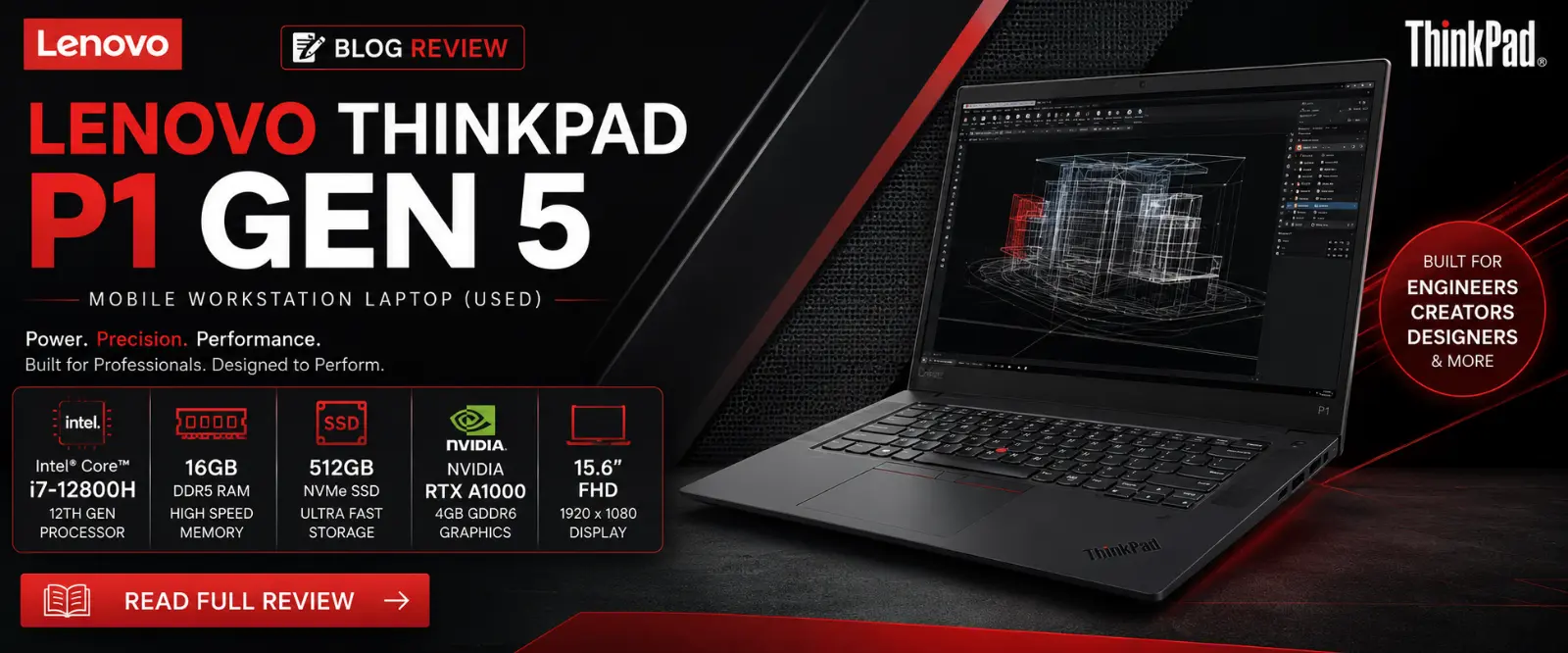
Lenovo ThinkPad P1 Gen 5 Review
Core i7-12800H 12th Gen | RTX A1000 4GB | 16GB DDR5 | 512GB SSD | Rs.185,000
There is a specific type of professional that the ThinkPad P1 Gen 5 was built for. Someone who has important client meetings in the morning, runs complex CAD assemblies in the afternoon, and needs to carry everything in a slim bag without looking like they brought a generator. That professional exists in Lahore, Karachi, and Islamabad — and until now, they had to spend Rs.400,000 or more to get a machine like this brand new.
At Rs.185,000 used at Techmen, the ThinkPad P1 Gen 5 changes that equation completely. This is a genuine ISV-certified mobile workstation from Lenovo's premium P-series lineup, built on the same platform as machines used by engineers at aerospace companies, architects at global design firms, and VFX artists at production studios. We have tested it thoroughly. Here is everything you need to know.
Full Specifications
Performance Ratings
How the ThinkPad P1 Gen 5 scores across professional use categories:
Processor — Intel Core i7-12800H
The Core i7-12800H is Intel's 12th generation H-series processor — the high-performance mobile chip designed for creators, engineers, and professionals who need real computing power on the go. It features 14 cores (6 Performance + 8 Efficiency) and 20 threads with a peak boost of 4.8 GHz.
In everyday professional use this translates to: AutoCAD loads instantly, Blender previews update smoothly, Python data pipelines run without keeping you waiting, and you can have Slack, Chrome, Excel, and a virtual machine open simultaneously without any sluggishness. This is a chip that earns its keep every single working day.
One important distinction: the i7-12800H is specifically the H-series — the high-power variant optimized for performance. It is not the U-series or P-series found in thinner ultrabooks. This means full professional performance even under sustained workloads, not just burst performance that throttles after 30 seconds.
GPU — NVIDIA RTX A1000 4GB
The RTX A1000 is a professional workstation GPU from NVIDIA's Ampere architecture. Like all NVIDIA RTX-branded professional cards it carries ISV certifications for the applications Pakistani engineers and designers use most — AutoCAD, SolidWorks, Revit, Maya, and DaVinci Resolve.
The 4GB GDDR6 VRAM handles the majority of professional workloads comfortably. 3D models, CAD assemblies, video projects in 1080p, and architectural visualizations all run within this memory budget. For very large 4K video projects or extremely complex simulations with massive datasets, you may approach the limit — in which case the Dell Precision 7670 with 8GB VRAM is the better choice at Rs.280,000.
For most engineers and designers working at normal project scales in Pakistan, the RTX A1000 4GB is entirely sufficient and represents outstanding value at this price point.
What Makes the ThinkPad P1 Gen 5 Different
Two things separate the ThinkPad P1 Gen 5 from every other workstation at Techmen. The first is weight. At approximately 1.77 kg, it is significantly lighter than the Dell Precision 7670 (2.45 kg) and the HP ZBook Fury 15. For professionals who travel, commute by metro or rickshaw in Lahore, or carry their laptop to client sites every day — this difference is felt in your back and shoulders within a week.
The second is the ThinkPad keyboard. Lenovo's keyboards have a legendary reputation and the P1 Gen 5 keyboard is among the best you will find on any laptop at any price. The key travel is deep, the actuation is precise, and the layout is full-size with a numpad. Architects doing BIM work, engineers entering simulation parameters, and developers writing code all day will notice the difference immediately.
Display — 15.6 inch FHD IPS
The 15.6 inch FHD display on the ThinkPad P1 Gen 5 is a proper professional panel. Colour accuracy is calibrated for creative work — what you see on screen reflects reality, which matters enormously for designers and architects presenting to clients. The anti-glare coating handles Pakistani office environments well, reducing reflections without washing out the image.
It is a 1080p display rather than 4K, which is actually a sensible choice for a professional laptop — it keeps power consumption lower, maintains sharper text rendering at 100% scaling, and avoids the compatibility issues that still occasionally affect older professional software at ultra-high DPI settings. For the vast majority of professional workflows, 1080p on a 15.6 inch screen is exactly right.
Build Quality — MIL-SPEC ThinkPad Grade
The ThinkPad P1 Gen 5 is tested to MIL-SPEC 810H standards — the same durability certification used by military and industrial equipment. In practical terms: it can handle being dropped, exposed to temperature extremes, vibrated in a vehicle, and generally treated the way a laptop gets treated by someone who actually uses it every day.
The chassis is a combination of carbon fibre and aluminium — contributing to both its lightness and its rigidity. There is zero flex in the base or the lid. The hinge is firm with just the right amount of resistance. The build quality is a 10 out of 10 and it is not close — this is genuinely one of the best-built laptops we have handled at Techmen.
Thermals & Battery Life
The P1 Gen 5 manages thermals well for a machine this slim. Under sustained load the fans spin up to a moderate level — audible but not disruptive. Lenovo's thermal management keeps the processor from throttling in most real-world workloads, though in extreme sustained rendering scenarios you may see some performance management kick in. This is expected for any thin workstation.
Battery life is similar to other professional workstations — approximately 3–5 hours under real professional workloads with the GPU active. Light office tasks extend this meaningfully. Like all professional workstations, the ThinkPad P1 Gen 5 performs best plugged in. The Thunderbolt 4 ports support USB-C charging, giving you flexibility with third-party chargers if needed.
Pros and Cons
How It Compares — Workstations at Techmen
Not sure between the P1 Gen 5 and other workstations in stock? Here is the full picture:
Frequently Asked Questions
Is the ThinkPad P1 Gen 5 good for AutoCAD?
Yes. The RTX A1000 is an ISV-certified GPU and is verified for AutoCAD by both Autodesk and NVIDIA. You get certified driver stability and full hardware acceleration for 3D AutoCAD models. The Core i7-12800H handles complex 2D drafting and 3D modelling without any performance compromise.
How does it compare to the Dell Precision 7670?
The ThinkPad P1 Gen 5 is lighter, thinner, and Rs.95,000 cheaper. The Precision 7670 has a more powerful Core i9 processor, double the GPU VRAM (8GB vs 4GB), and double the RAM (32GB vs 16GB). If you need maximum raw performance and budget allows, get the 7670. If portability matters and your workloads are within the P1's capabilities — which covers most professional users — get the P1 Gen 5.
Can the RAM be upgraded?
Yes. The ThinkPad P1 Gen 5 supports up to 64GB DDR5 RAM. Our team at Techmen can advise on upgrade pricing and perform the upgrade in-store. WhatsApp us on 0332 1461130 for current DDR5 pricing.
Is it suitable for machine learning and AI work?
Yes for moderate ML workloads. The RTX A1000 supports CUDA acceleration for TensorFlow and PyTorch, and 4GB VRAM handles typical model training for most university and professional projects. For very large models or production-scale training, the Precision 7670 with 8GB VRAM is the better choice.
Does it come with a charger?
The ThinkPad P1 Gen 5 also supports USB-C/Thunderbolt 4 charging, giving you flexibility. Our team will advise on included accessories when you visit or WhatsApp us before coming in.
