
HP ZBook Power 15 G9 Review — i7 12th Gen RTX A2000
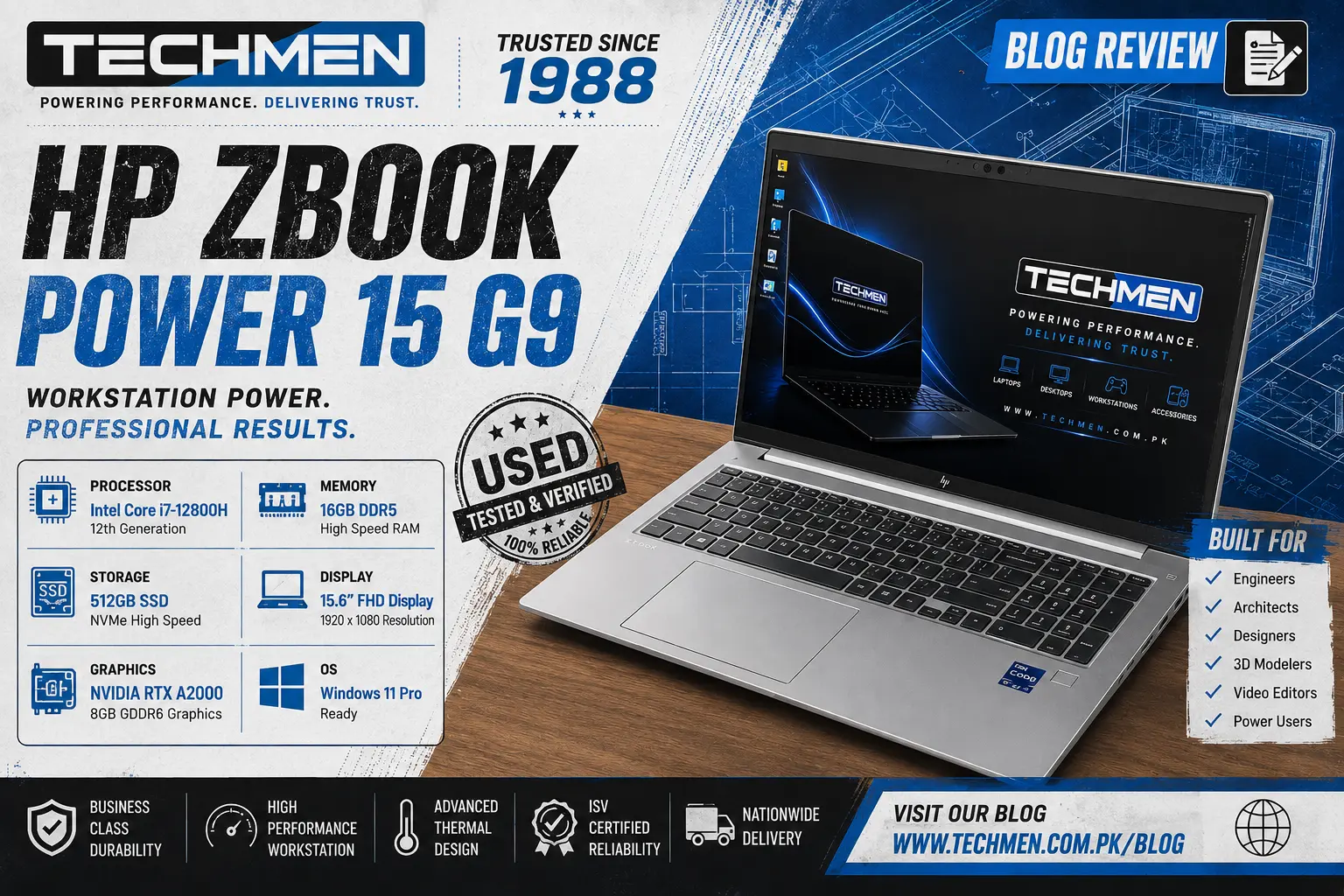
HP ZBook Power 15 G9 Review
Core i7-12800H 12th Gen | 8GB RTX A2000 | 16GB DDR5 | 512GB SSD
There is a gap in Pakistan's used workstation market between the Rs.185,000 ThinkPad P1 Gen 5 and the Rs.280,000 Dell Precision 7670. Most professionals know what they want — a proper ISV-certified workstation with serious GPU memory — but have struggled to find the sweet spot. The HP ZBook Power 15 G9 fills that gap perfectly.
At Rs.225,000 used at Techmen, the ZBook Power 15 G9 brings something unique to the table — an 8GB RTX A2000 GPU, which matches the Dell Precision 7670 on raw GPU memory, paired with the proven Core i7-12800H and HP's legendary ZBook build quality. For engineers, architects, and video editors who have been watching the workstation market waiting for the right machine — this is it.
Full Specifications
Performance Ratings
How the HP ZBook Power 15 G9 scores across professional use categories:
The Star of the Show — RTX A2000 8GB
Let us address the most important spec on this machine immediately because it changes everything about the buying decision. The RTX A2000 with 8GB GDDR6 VRAM is not just a better GPU than the 4GB A1000 in the ThinkPad P1 Gen 5. It is a fundamentally different class of workstation capability.
8GB VRAM means you can load an entire complex 3D scene into GPU memory without compression — BIM models in Revit with all the fixtures, textures, and materials loaded simultaneously. It means you can run a 4K DaVinci Resolve timeline with multiple colour-graded clips without GPU memory warnings. It means TensorFlow and PyTorch can train larger models in one pass without having to batch tiny chunks to compensate for limited VRAM.
The 4GB RTX A1000 in the ThinkPad P1 Gen 5 is excellent for most professional work. But if your projects are getting bigger, your models are getting more complex, or your video work is moving to 4K — the 8GB difference is not incremental. It is the line between a machine that handles your work and one that waits while your work handles it.
Processor — Core i7-12800H 12th Gen
The Core i7-12800H is Intel's 12th generation high-performance H-series processor — the same chip found in the ThinkPad P1 Gen 5 and a proven workhorse for professional mobile computing. 14 cores, 20 threads, and a 4.8 GHz boost clock deliver consistent performance across everything from compiling large codebases to running complex engineering simulations.
In the ZBook Power 15 G9's larger chassis, the i7-12800H has more thermal headroom than in the slimmer ThinkPad P1. This means sustained performance under load is more consistent — the processor is less likely to throttle during extended rendering or simulation tasks because the ZBook's cooling system has more physical space to work with.
Memory & Storage — 16GB DDR5 + 512GB NVMe
The 16GB DDR5 dual-channel configuration delivers the bandwidth advantage of DDR5 — faster data throughput between processor and memory directly benefits rendering, data processing, and multitasking performance. For most professional workloads 16GB is the right amount, and the ZBook Power 15 G9 supports upgrades to 64GB if your work demands it.
The 512GB PCIe Gen 4 NVMe SSD provides fast, capable storage — Windows boots in seconds, professional applications launch instantly, and large project file transfers complete quickly. Engineers working with large assembly files and video editors managing raw footage will appreciate the SSD headroom. For users who need even more space, Techmen offers external SSD options from our accessories range.
Display — 15.6 inch FHD 500 nit IPS
The 15.6 inch FHD display on the ZBook Power 15 G9 is built for professional use. 500 nits peak brightness makes it comfortable to use in well-lit Pakistani office environments without washing out — a common frustration with budget laptop displays that struggle above 250 nits. The 100% sRGB colour coverage ensures colour accuracy for design, photo editing, and video work.
The anti-glare coating handles reflections effectively. The full HD 1080p resolution at 15.6 inches hits the sweet spot — sharp enough to look good, not so high-resolution that professional software has DPI scaling issues, and efficient enough to work with the GPU and battery sensibly.
Build Quality — HP ZBook Grade
HP's ZBook line is engineered to the same MIL-SPEC 810H standards as the EliteBook and ThinkPad ranges — tested for drops, temperature extremes, vibration, humidity, and dust. The ZBook Power 15 G9 chassis is rigid aluminium with no flex and no compromise. The full-size keyboard with numpad is a meaningful advantage for engineers who input data all day — no reaching for a separate number pad.
Port selection on the ZBook Power 15 G9 is comprehensive for a workstation: Thunderbolt 4, multiple USB-A 3.2 ports, HDMI 2.1 (supporting 4K output), SD card reader, and RJ45 ethernet. For professionals who work at a desk with external monitors, the Thunderbolt 4 and HDMI 2.1 combination supports a dual 4K monitor setup without any additional dock required.
hermals & Cooling
The ZBook Power 15 G9 has a significant thermal advantage over the thinner ThinkPad P1 Gen 5 — the larger chassis allows HP to fit a more substantial dual-fan cooling system. Under sustained workstation loads the machine stays cooler and quieter than comparable thin workstations. During extended rendering or simulation tasks the fans spin up to a moderate level — professional and expected for a machine of this class.
HP's Turbo performance mode, accessible via HP Command Center, allows you to push the cooling system harder when sustained performance matters most. In normal mode the machine runs very quietly — ideal for open office environments and client meetings.
Battery Life — The Realistic Picture
With an 8GB GPU and a 14-core processor, the ZBook Power 15 G9 is not a battery champion — and it should not be expected to be. Under mixed professional use with the GPU active, expect 3–5 hours. Light office tasks with the GPU in power-saving mode extend this to 5–7 hours. Like all professional workstations, the ZBook Power 15 G9 delivers its best performance plugged in.
The Thunderbolt 4 port supports USB-C fast charging, giving you flexibility with third-party chargers when the original charger is not available. For professionals who work primarily at a desk — the majority of the ZBook's target audience — battery life is an acceptable compromise for the performance gains.
Pros and Cons
Who Should Buy the HP ZBook Power 15 G9?
Full Workstation Comparison — Techmen Stock
See exactly how the ZBook Power 15 G9 stacks up against every workstation currently in stock:
Frequently Asked Questions
How does it compare to the Dell Precision 7670?
Both machines have the 8GB RTX A2000 GPU — that is the key similarity. The Precision 7670 has a more powerful Core i9-12950HX processor and 32GB DDR5 RAM vs the ZBook's i7-12800H and 16GB. The Precision 7670 wins on raw CPU and RAM. The ZBook Power 15 G9 wins on HP ecosystem compatibility, slightly better sustained cooling in benchmarks, and the numpad keyboard. For GPU-heavy workloads they perform similarly. For CPU and RAM heavy tasks, the 7670 has the edge.
Can I upgrade the RAM later?
Yes. The HP ZBook Power 15 G9 supports DDR5 RAM upgrades up to 64GB. Our team at Techmen can advise on pricing and perform the upgrade in-store. WhatsApp us on 0332 1461130 for current DDR5 pricing and availability.
Is this good for gaming as well as professional work?
The RTX A2000 8GB is a professional workstation GPU, not a gaming card. It will run popular titles like GTA V, FIFA, and CS2 at medium-high settings competently. However for pure gaming the HP Omen 16 with RTX 4060 at Rs.280,000 is more optimised for gaming performance. The ZBook is the right choice when professional ISV-certified software performance matters more than gaming frame rates.
Does it support 4K external monitors?
Yes. The Thunderbolt 4 port supports 4K display output, and the HDMI 2.1 port supports 4K at 120Hz. You can run dual external 4K monitors simultaneously — ideal for video editors and architects who need maximum screen real estate at their desk. The RTX A2000 8GB handles multi-monitor 4K display without any performance impact on the GPU compute workloads running simultaneously.
What is included with the laptop?
Used laptops at Techmen are sold as-is. Our team will confirm exactly what is included with this specific unit when you visit or WhatsApp us before coming in. The laptop has been tested and verified in Grade A condition. We recommend asking about the charger and any accessories before purchasing.
